> For the complete documentation index, see [llms.txt](https://docs.acecloud.ai/knowledge-base/llms.txt). Markdown versions of documentation pages are available by appending `.md` to page URLs; this page is available as [Markdown](https://docs.acecloud.ai/knowledge-base/account/ace-public-cloud-account-verification.md).
# Ace Public Cloud Account Verification
This KB article provides instructions on how to verify your Ace Public Cloud account. Account verification is a necessary step in order to access Ace Public Cloud services. The verification process is the same for individuals and companies in India and outside of India.
{% hint style="info" %}
**Note:** This article addresses both new and existing customers, as some changes were implemented to the Ace Public Cloud portal's user interface and verification processes in July 2023. As a result, customers may have different verification procedures depending on when they created their account.
{% endhint %}
### For New Customers
Customers who signed up after July 2023 should follow these steps to verify the account:
**Step 1:** Log in to your [account](https://customer.acecloudhosting.com/index.php?m=ace_product_register_addon\&action=login).
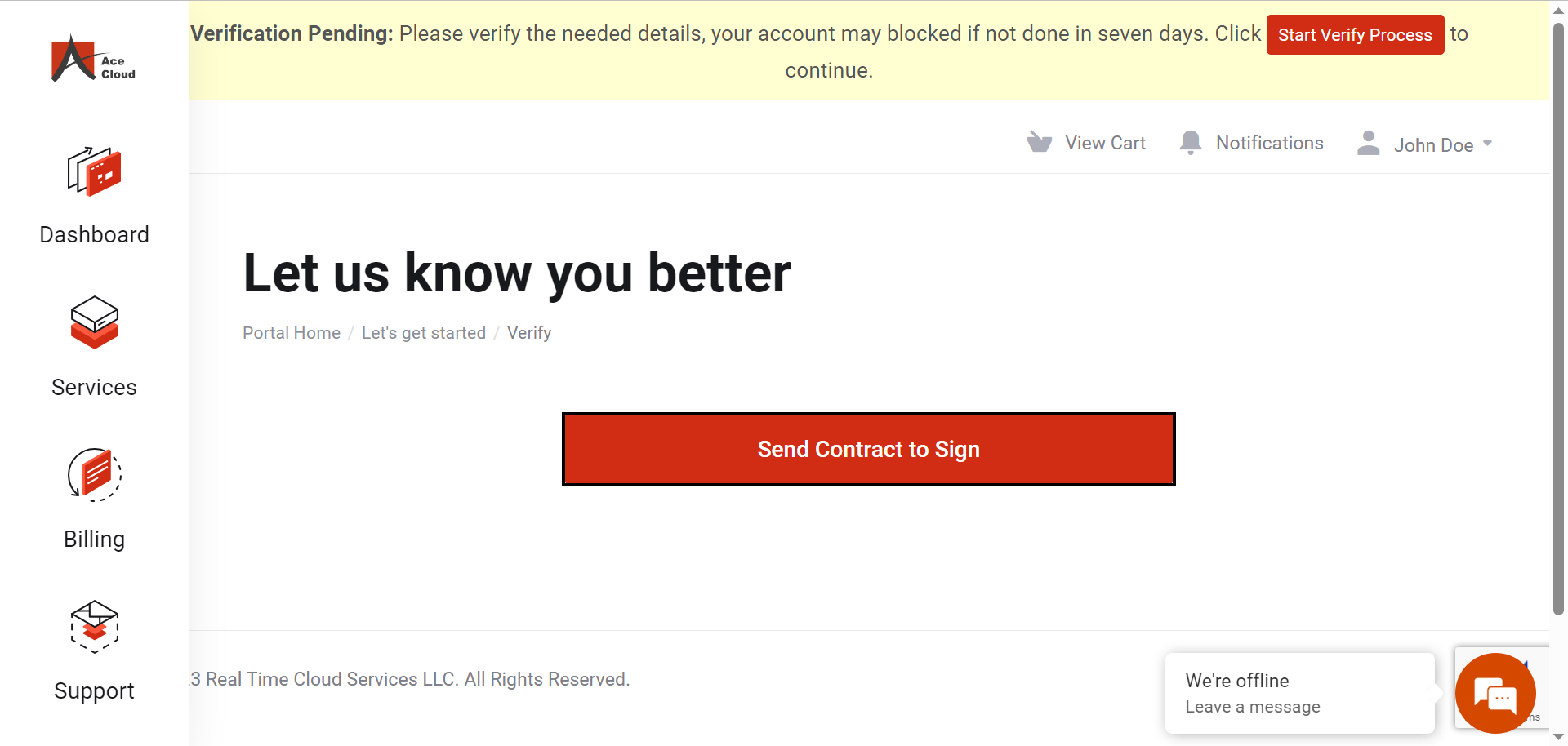
**Step 2:** Click **Start Verify Process.**
**Step 3:** Click **Send Contract to Sign.**
{% hint style="info" %}
**Note**: Clicking the "**Send Contract to Sign"** button, will initiate the contract signing process. You will receive an email with the contract that you must digitally sign, and your verification will be complete.
{% endhint %}
### For Old Customers
Customers who signed up before July 2023 should follow these steps to verify your account:
**Step 1:** Log in to your [account](https://customer.acecloudhosting.com/index.php?m=ace_product_register_addon\&action=login).
**Step 2:** Click **Start Verify Process**.
**Step 3:** To verify your phone number and email address, enter the details and click **Send OTP** below the respective field.
**Step 4:** Enter the OTP in the respective field and click **Verify OTP**.
**Step 5:** To verify your Aadhaar number, enter your Aadhaar number and click **Verify Aadhaar**.
**Step 6:** Enter the OTP sent to your registered mobile number and click **Verify OTP.**
*The verification of your details is now complete.*
**Congratulations!** You have now successfully completed the verification process and can begin with your project.
For any queries, do not hesitate to send an email to Ace Public Cloud [customer support team](mailto:support@acecloudhosting.com). To learn more about Ace Public Cloud, visit our [website](https://www.acecloudhosting.com/public-cloud/).