> For the complete documentation index, see [llms.txt](https://docs.acecloud.ai/knowledge-base/llms.txt). Markdown versions of documentation pages are available by appending `.md` to page URLs; this page is available as [Markdown](https://docs.acecloud.ai/knowledge-base/kubernetes/how-to-manage-a-k8s-security-group.md).
# How to Manage a K8s Security Group?
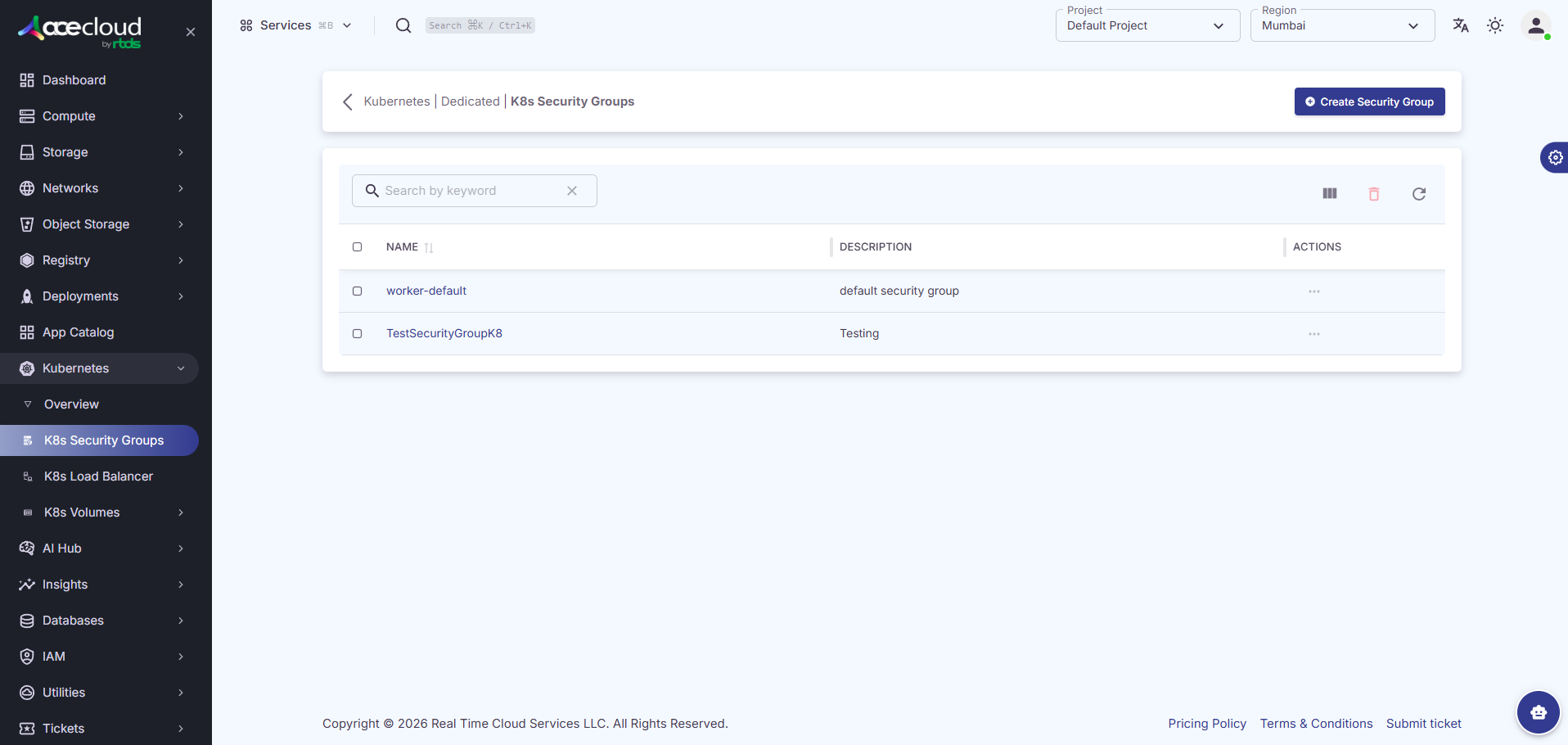
### a. How to view the list of all the Security Groups?
To view the list of all the security groups, follow the steps given below:
**Step 1:** [Login](https://customer.acecloud.ai/) to your account.
**Step 2:** Navigate to **Kubernetes** and then click on **K8s Security Groups**.
**Step 3:** Here, you can view all your security groups.
### b.
How to Create a Security Group?
To create a security group, follow the steps given below:\
**Step 1:** Click **Create Security Group**.
\
**Step 2:** Enter the **Security Group Name** and **Description**, and click **Create**.
### **c.** How to Delete a Security Group?
**Step 1:** Click on the kebab menu against the security group and choose **Delete**.
**Step 2:** Click **Delete** to complete the deletion.