# How to View Volume Overview?

To view overview of a volume, follow the steps given below:

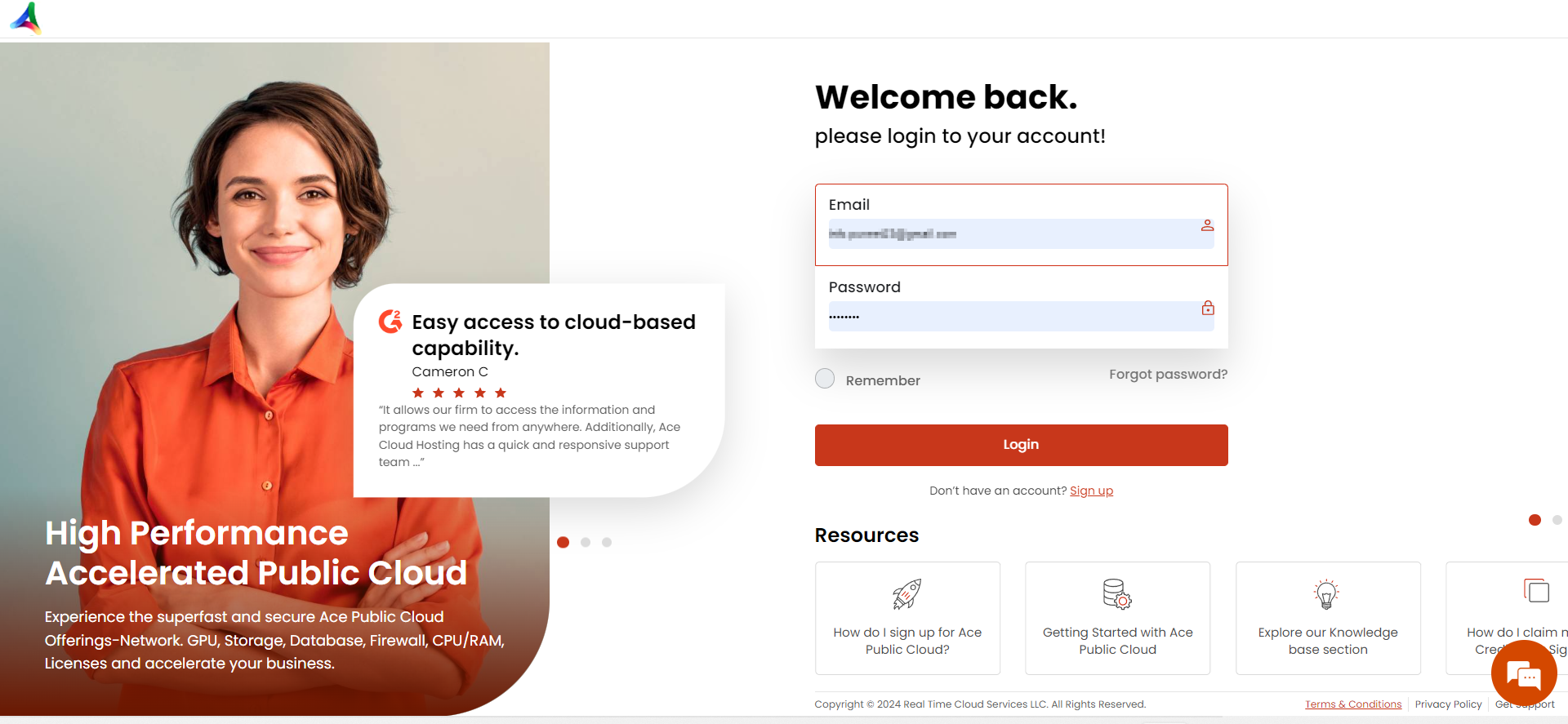
**Step 1:** [Login](https://customer.acecloudhosting.com/index.php?m=ace_product_register_addon\&action=login) to your account.&#x20;

<figure><img src="https://611918185-files.gitbook.io/~/files/v0/b/gitbook-x-prod.appspot.com/o/spaces%2FZE65sl2QJgZthXIMR4N7%2Fuploads%2FW5iMSiP1i44uYQzcybLh%2Fimage.png?alt=media&#x26;token=c4a2ad47-d140-49c6-9327-a3a40fb8b883" alt=""><figcaption></figcaption></figure>

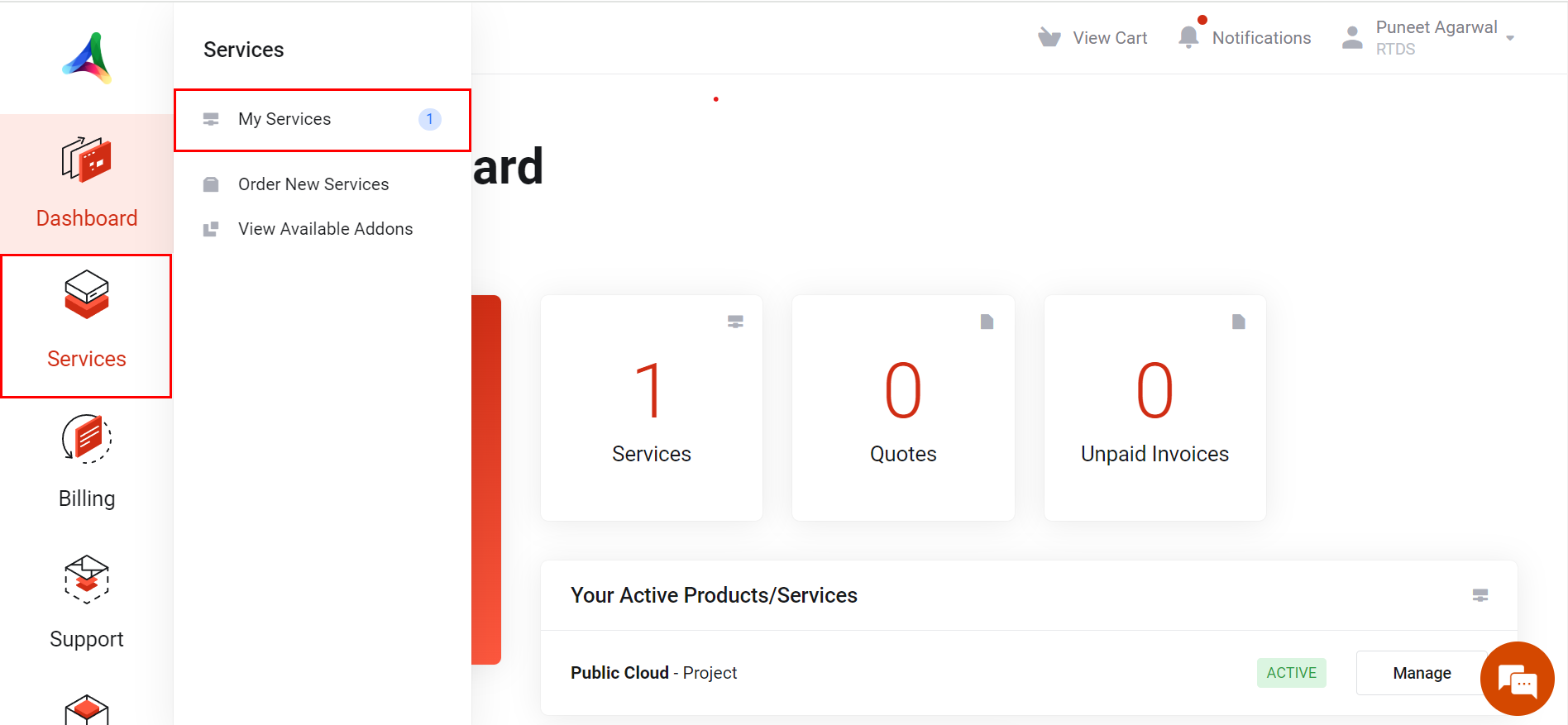
**Step 2:** Navigate to **Services** and then click on **My Services.**

<figure><img src="https://611918185-files.gitbook.io/~/files/v0/b/gitbook-x-prod.appspot.com/o/spaces%2FZE65sl2QJgZthXIMR4N7%2Fuploads%2FweH2Vq7XoKf4q9nZkgf1%2Fimage.png?alt=media&#x26;token=e82f6c82-d18f-4af2-8ded-df31091bd552" alt=""><figcaption></figcaption></figure>

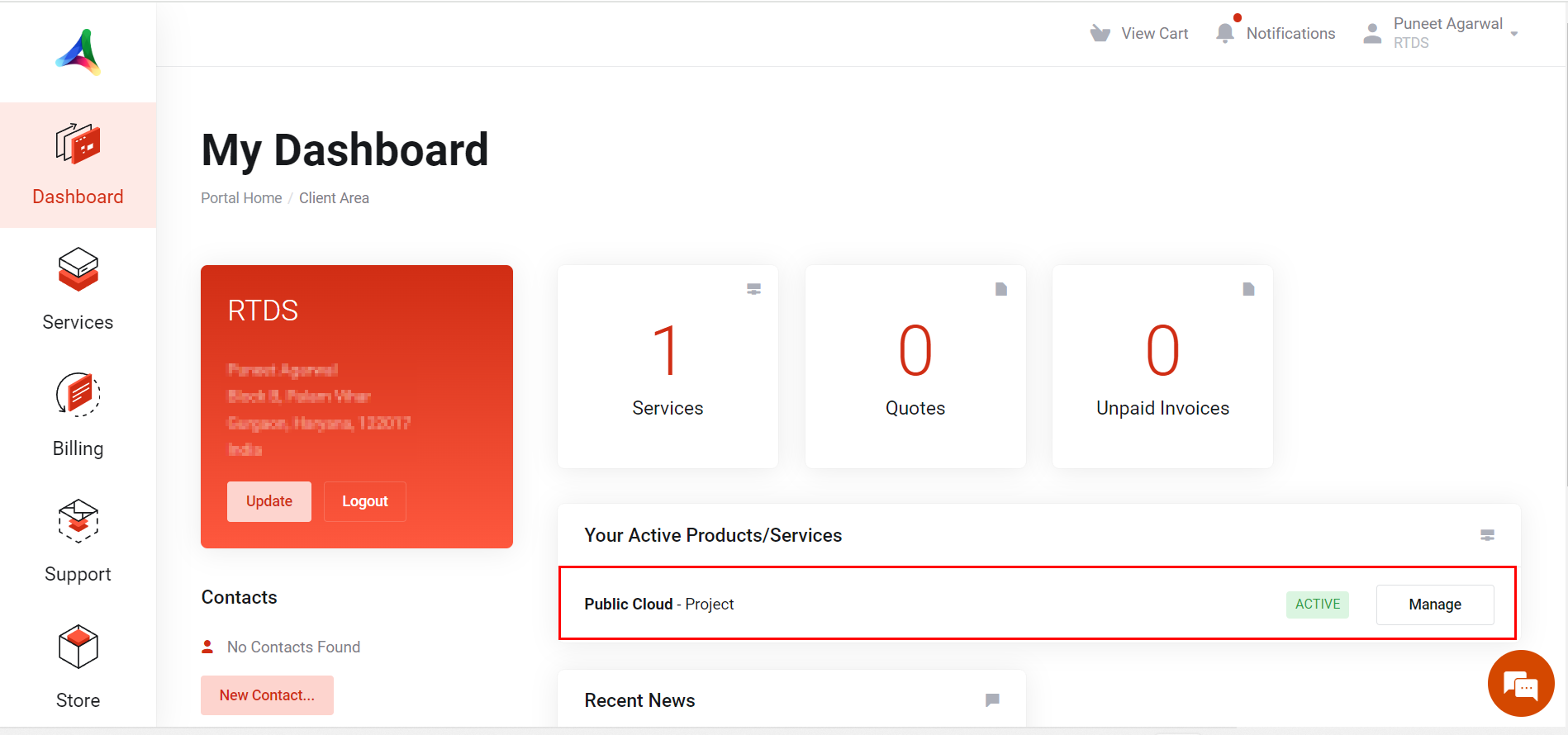
**Step 3:** Click on your project.

<figure><img src="https://611918185-files.gitbook.io/~/files/v0/b/gitbook-x-prod.appspot.com/o/spaces%2FZE65sl2QJgZthXIMR4N7%2Fuploads%2FSyLfBgQxRFkbTNQ19qv1%2Fimage.png?alt=media&#x26;token=7e695d93-f098-4b16-92a6-0f3d0236b59d" alt=""><figcaption></figcaption></figure>

**Step 4:** Navigate to **Kubernetes** and then click on **K8s Volumes**.

<figure><img src="https://611918185-files.gitbook.io/~/files/v0/b/gitbook-x-prod.appspot.com/o/spaces%2FZE65sl2QJgZthXIMR4N7%2Fuploads%2FWOnOzL9BmxvXI8OLuII2%2Fimage.png?alt=media&#x26;token=3c6c347f-2783-4012-b4c7-9c1096175509" alt=""><figcaption></figcaption></figure>

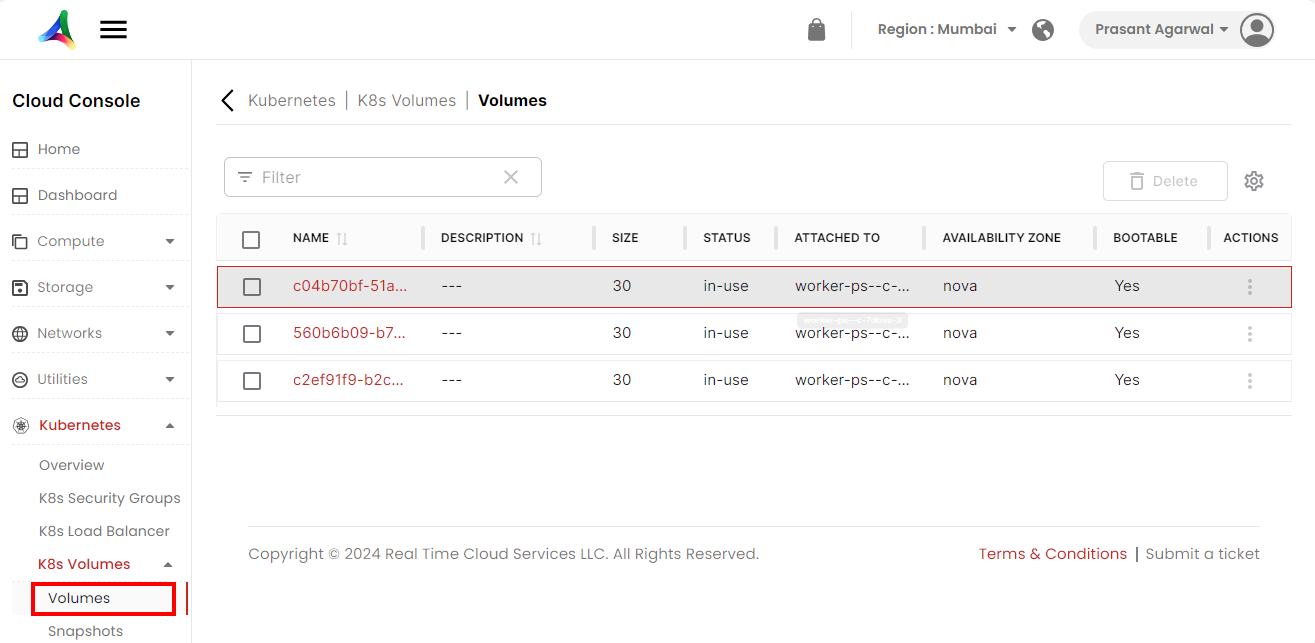
**Step 5:** Click on **Volumes.**

<figure><img src="https://611918185-files.gitbook.io/~/files/v0/b/gitbook-x-prod.appspot.com/o/spaces%2FZE65sl2QJgZthXIMR4N7%2Fuploads%2FKAmbtPMSUGrgivmLcYGU%2Fimage.png?alt=media&#x26;token=fae15c58-2e62-481d-9b5f-52081fd6be2b" alt=""><figcaption></figcaption></figure>

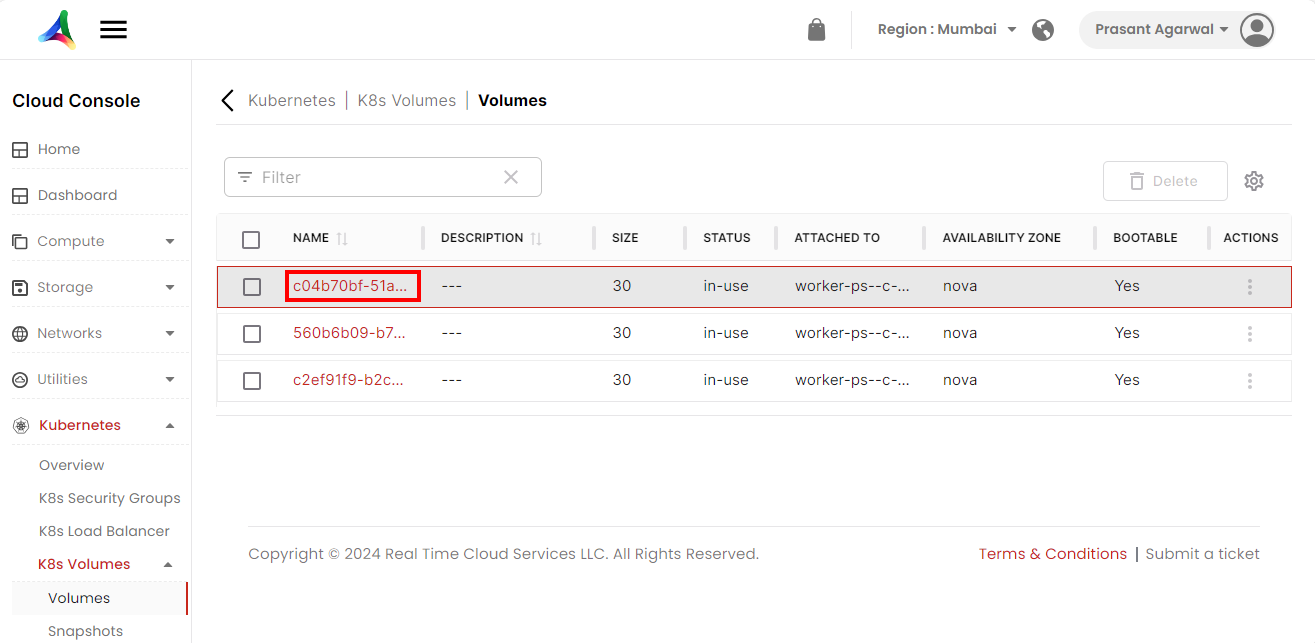
**Step 6:** Click on the volume name for which you want to view the overview.&#x20;

<figure><img src="https://611918185-files.gitbook.io/~/files/v0/b/gitbook-x-prod.appspot.com/o/spaces%2FZE65sl2QJgZthXIMR4N7%2Fuploads%2FQmJIl9UsgUlDO0M1hKdb%2Fimage.png?alt=media&#x26;token=15ee7c26-9ef4-4a03-97a5-b39bc8ab8a1b" alt=""><figcaption></figcaption></figure>

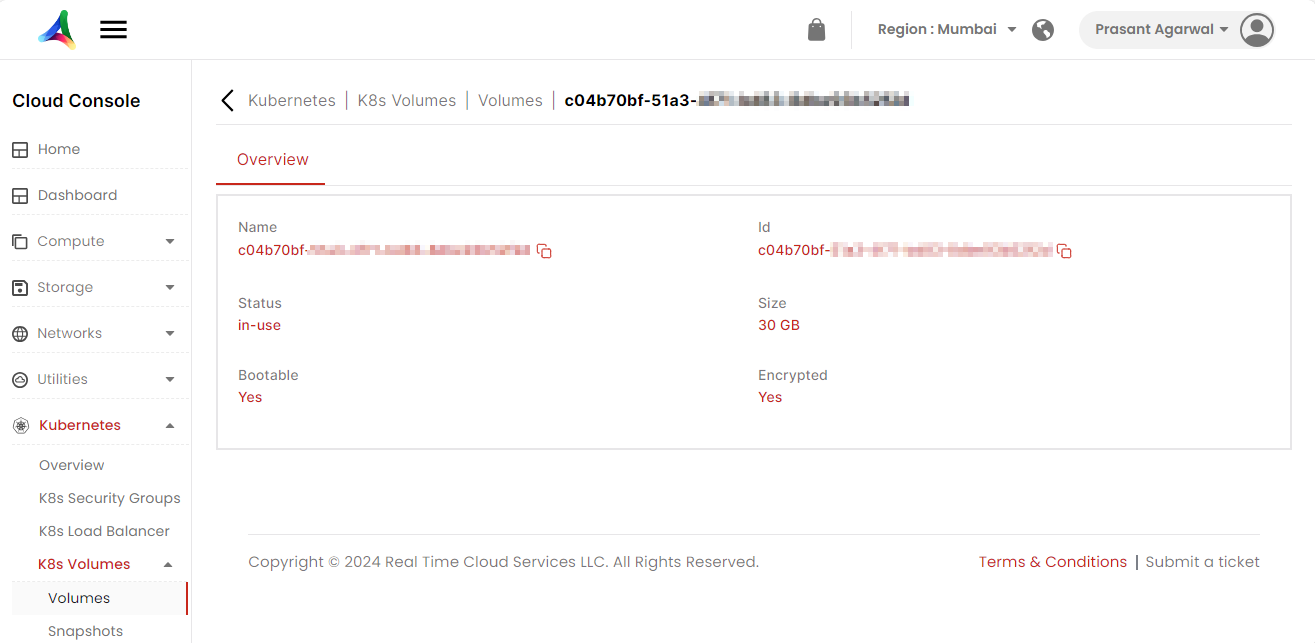
**Step 7:** Here you can view the overview of the volume.
<figure><img src="https://611918185-files.gitbook.io/~/files/v0/b/gitbook-x-prod.appspot.com/o/spaces%2FZE65sl2QJgZthXIMR4N7%2Fuploads%2Fdv1MELus8nYDTDZm5nh4%2Fimage.png?alt=media&#x26;token=f0afb2b5-0dea-4eb9-87eb-6e6a38f6eed5" alt=""><figcaption></figcaption></figure>