> For the complete documentation index, see [llms.txt](https://docs.acecloud.ai/knowledge-base/llms.txt). Markdown versions of documentation pages are available by appending `.md` to page URLs; this page is available as [Markdown](https://docs.acecloud.ai/knowledge-base/support/how-to-set-a-maximum-fps-for-all-games-using-the-nvidia-control-panel-for-nvidia-rtx-gpus.md).
# How to set a maximum FPS for all games using the NVIDIA Control Panel for NVIDIA RTX GPUs?
The NVIDIA Control Panel incorporates the Maximum Frame Rate feature, enabling users to optimize their graphics settings. Follow the steps below to set the maximum FPS using the NVIDIA Control Panel:
**Step 1:** To access this feature, locate the Windows icon on the taskbar and search for **NVIDIA Control Panel.**
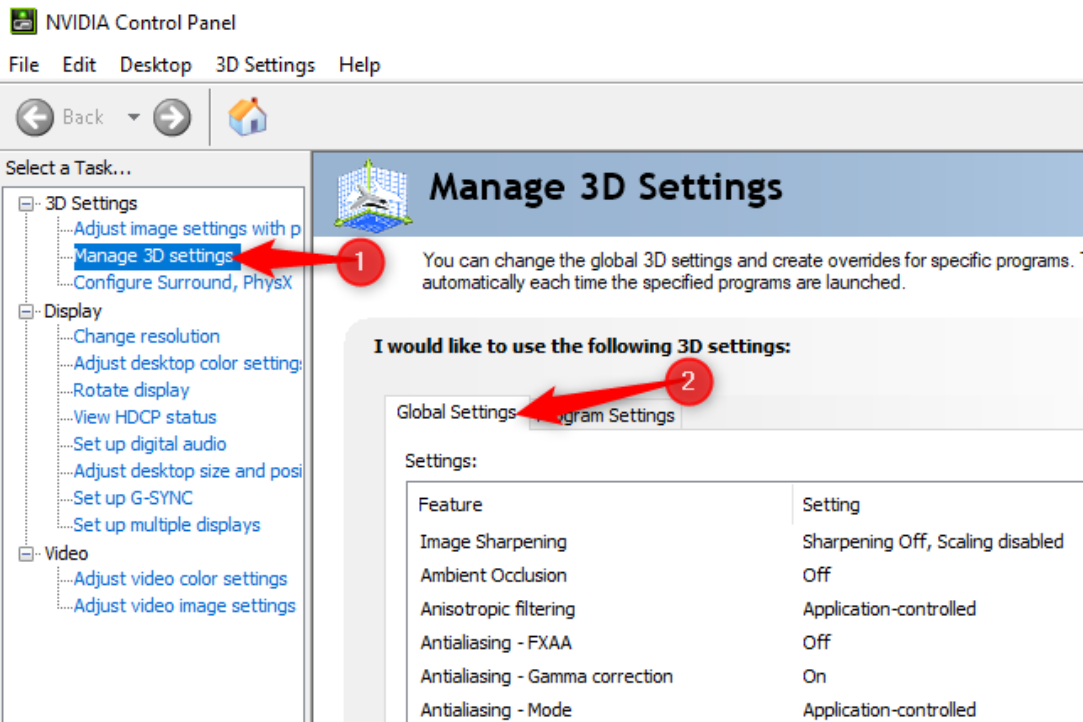
**Step 2:** To establish the maximum frame rate for all applications on your computer, access the NVIDIA Control Panel, navigate to the **3D Settings** category on the left side, click on **Manage 3D Settings**, and choose the **Global Settings** tab.
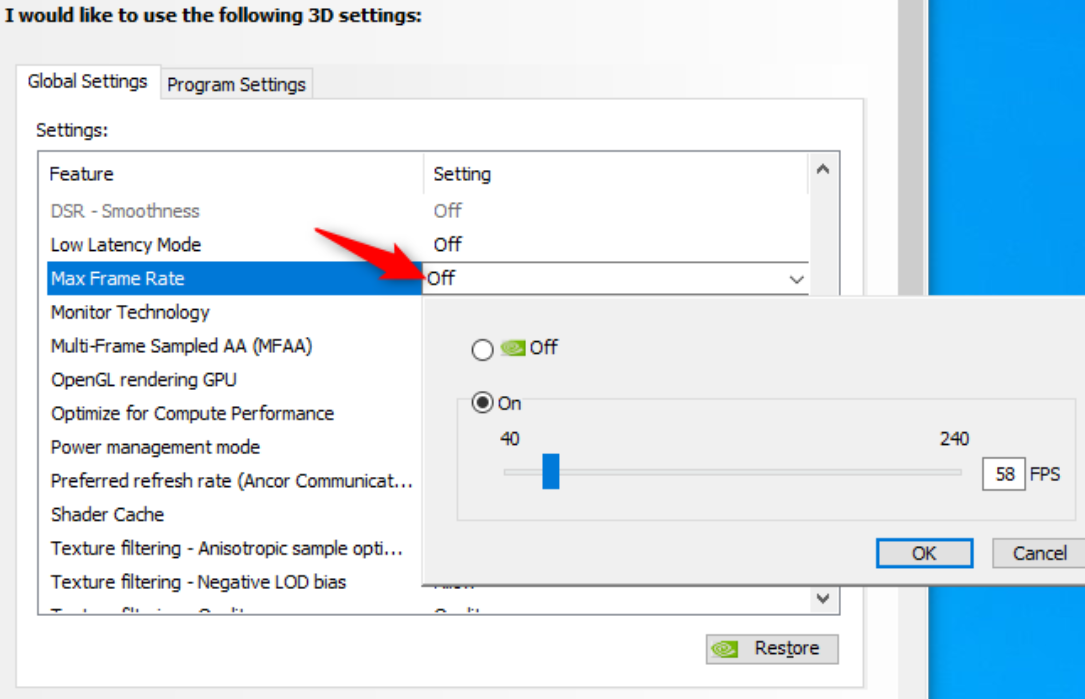
**Step 3:** Within the settings list, locate the checkbox adjacent to the **Max Frame Rate.** By default, this option is turned off, meaning there is no maximum frame rate imposed. To establish a maximum frame rate, opt for the **On** setting and designate your desired limit in frames per second (FPS).
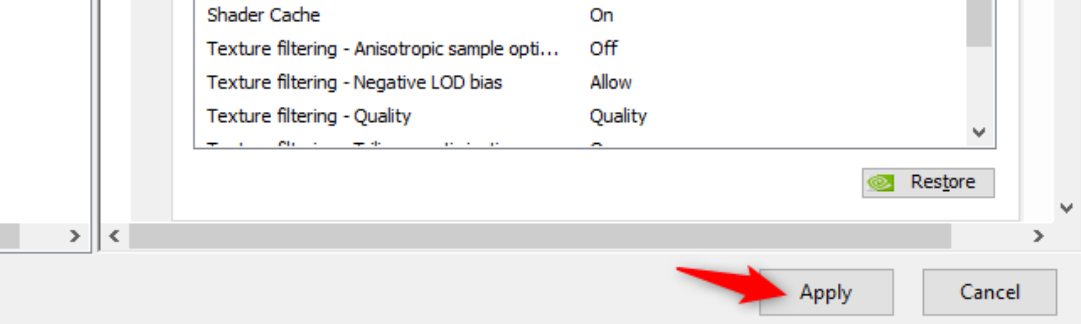
**Step 4:** To preserve your settings, save the changes by clicking the **Apply** button located at the bottom of the window.