> For the complete documentation index, see [llms.txt](https://docs.acecloud.ai/knowledge-base/llms.txt). Markdown versions of documentation pages are available by appending `.md` to page URLs; this page is available as [Markdown](https://docs.acecloud.ai/knowledge-base/utilities/how-to-migrate-a-server-from-aws-to-ace-cloud.md).
# How to Migrate a Server from AWS to Ace Cloud?
This document outlines the step-by-step process of migrating a Ubuntu server from AWS to Ace Cloud.
### Step 1: Create a Bucket in AWS
a. Navigate to the AWS Management Console.
b. Select **S3** from the list of services.
c. Click on **Create Bucket**.
### Step 2: Name the Bucket and Enable ACLs
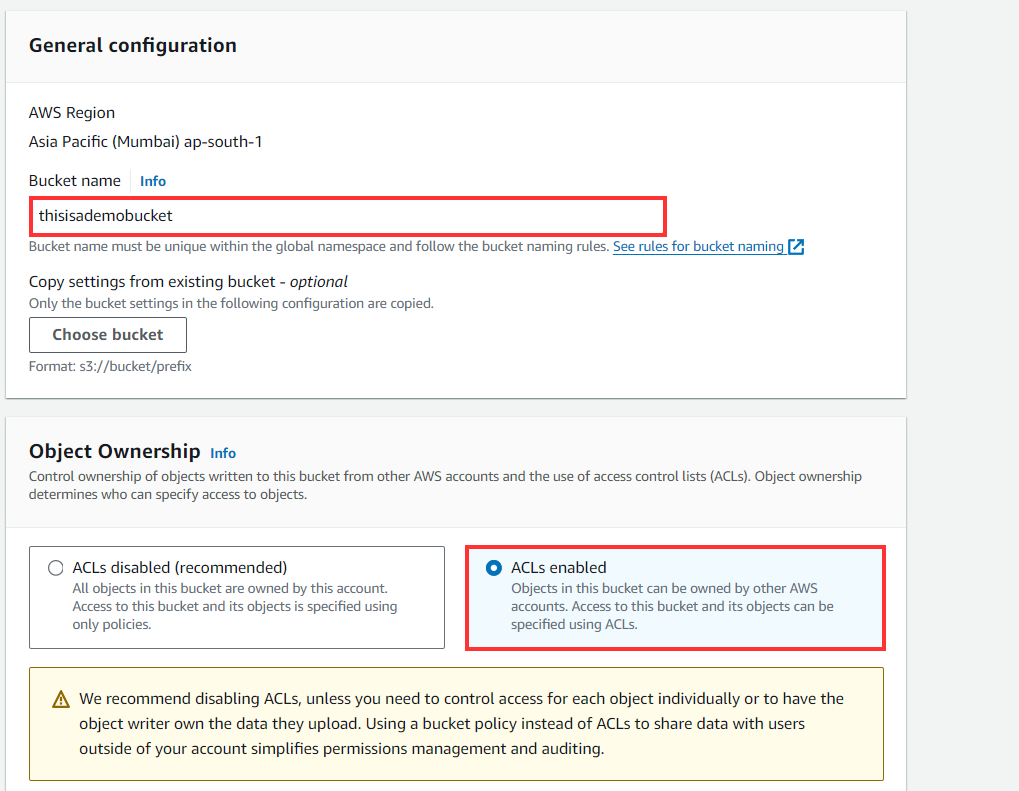
a. Give your bucket a unique name.
b. Under **Object Ownership**, choose **ACLs enabled**.
c. Click **Next** to proceed.
### Step 3: Configure Permissions for the Bucket
a. Go to the **Permissions** tab.
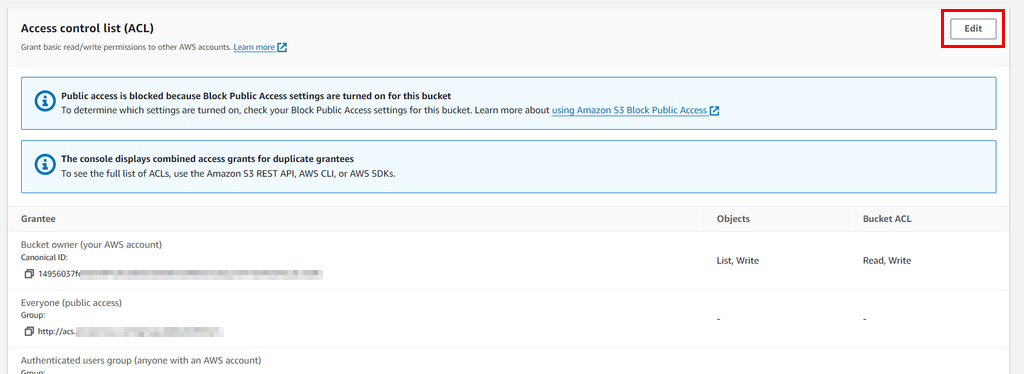
b. Scroll down to the **Access Control List (ACL)** section and click on **Edit**.
c. Click on **Add grantee.**
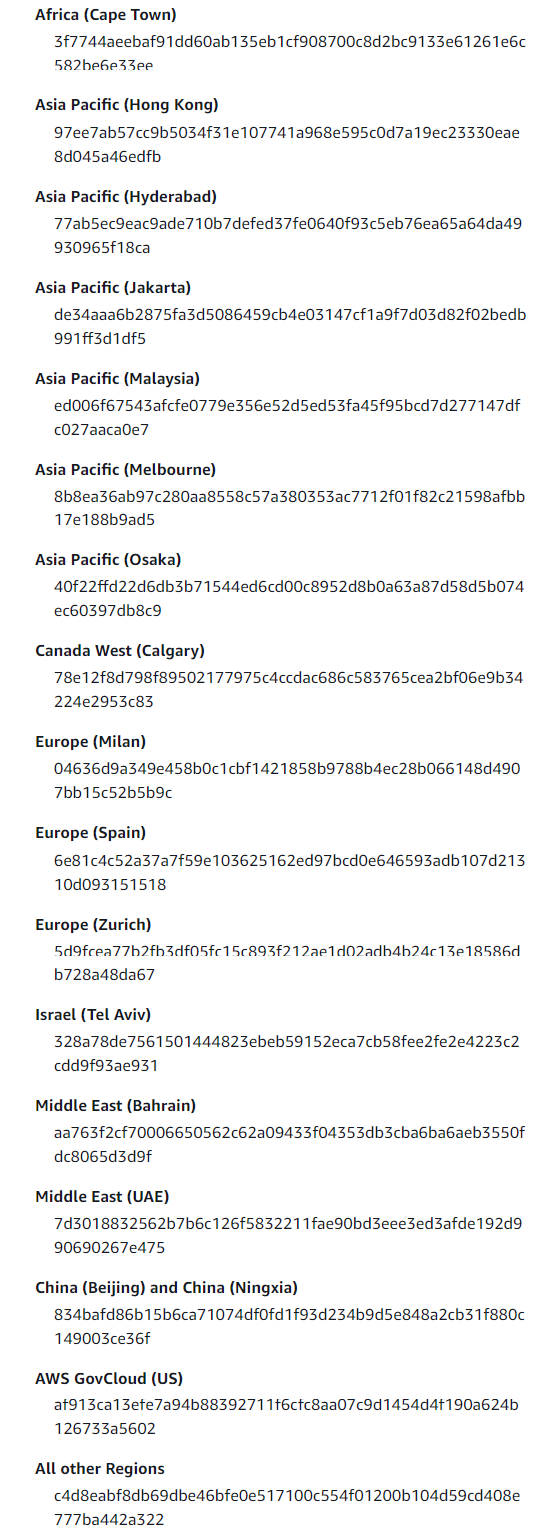
d. Provide the below permission and grantee ID for your region.
* `READ_ACP` (In the Amazon S3 console, Bucket ACL should have the Read permission)
* `WRITE` (In the Amazon S3 console, Objects should have the Write permission)
**Note:** Click [here](https://docs.aws.amazon.com/vm-import/latest/userguide/vmexport-prerequisites.html) to find the grantee ID for your region.
e. Review the settings and click on **Create Bucket**.
### Step 4: Set Up AWS CLI on the Server
Install and configure AWS CLI on the server where you want to temporarily store your server image.
a. Run the below commands to install AWS CLI:
```
curl "https://awscli.amazonaws.com/awscli-exe-linux-x86_64.zip" -o "awscliv2.zip"
apt install unzip -y
unzip awscliv2.zip
sudo ./aws/install
```
b. Run the following command to configure AWS CLI:
```
aws configure
```
c. Enter your AWS credentials and set the default region.
d. Run the below command to find your bucket:
```
aws s3 ls | grep -i
```
### Step 5: Export the VM to the S3 Bucket
a. Run the below command to export your Ubuntu server as an image to the S3 bucket created in **Step 1**:
```
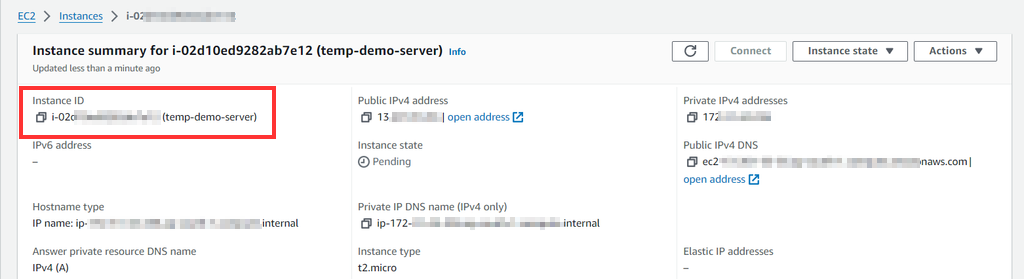
aws ec2 create-instance-export-task --instance-id --target-environment vmware --export-to-s3-task DiskImageFormat=vmdk,S3Bucket=
```
Get the instance ID from the instance overview.
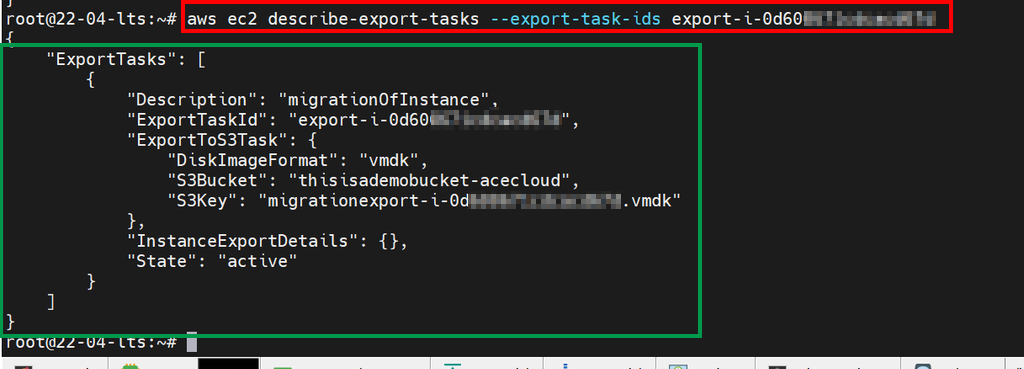
b. To see the progress and state of VM export, use the command below. Make changes to the export ID given by the previous command.
```
aws ec2 describe-export-tasks --export-task-ids
```
### Step 6: Download the VM Image to the Server
Once the export task is complete, download the VM image to the server using the following command:
```
aws s3 cp s3:/// .
```
### Step 7: Install OpenStack CLI
On the same server, install the OpenStack CLI using the below command:
```
apt install python3-openstackclient -y && apt install python3-glanceclient -y
```
### Step 8: Download RC File
You need an RC file to work with OpenStack CLI. This file contains the environment variables necessary to interact with your OpenStack environment.
To download the RC file, follow the below steps:
a. Log in to the [Customer portal](http://customer.acecloudhosting.com/).
b. Navigate to **Services** and then click on **My Services.**
c. Click on your project.
d. Click on **Utilities,** then on **User**.
e. Click on **Create User**.
f. Enter the **Username** and **Description** for the user and click on **Create User**.
g. Click on **Download** to save the user credential.
h. Login to the [horizon portal ](https://console.openstack.acecloudhosting.com/auth/login/?next=/identity/users/)with the credential created above.
i. Click on the region in the top-left corner and select the region.
j. Click on the user icon in the top-right corner.
k. Click on **OpenStack RC File** to download the RC file.
### Step 9: Upload the RC File to the Server
a. Transfer the downloaded RC file to the server where OpenStack CLI is installed.
b. You can use scp or any other file transfer method.
### Step 10: Source the RC File and Upload the Image
a. Source the RC file to load the environment variables using the below command:
```
source /path/to/
```
**Note:** Enter the path location in place of \>
b. Use the following command to upload the image downloaded from the AWS S3 bucket to Ace Cloud:
```
openstack image create --disk-format vmdk --container-format bare --file --private
```
As per volume size, it will take time. Once it is active, launch a VM.
c. Check image status using the below command:
```
openstack image list | grep -i
```
### Step 11: Launch a VM with the Uploaded Image
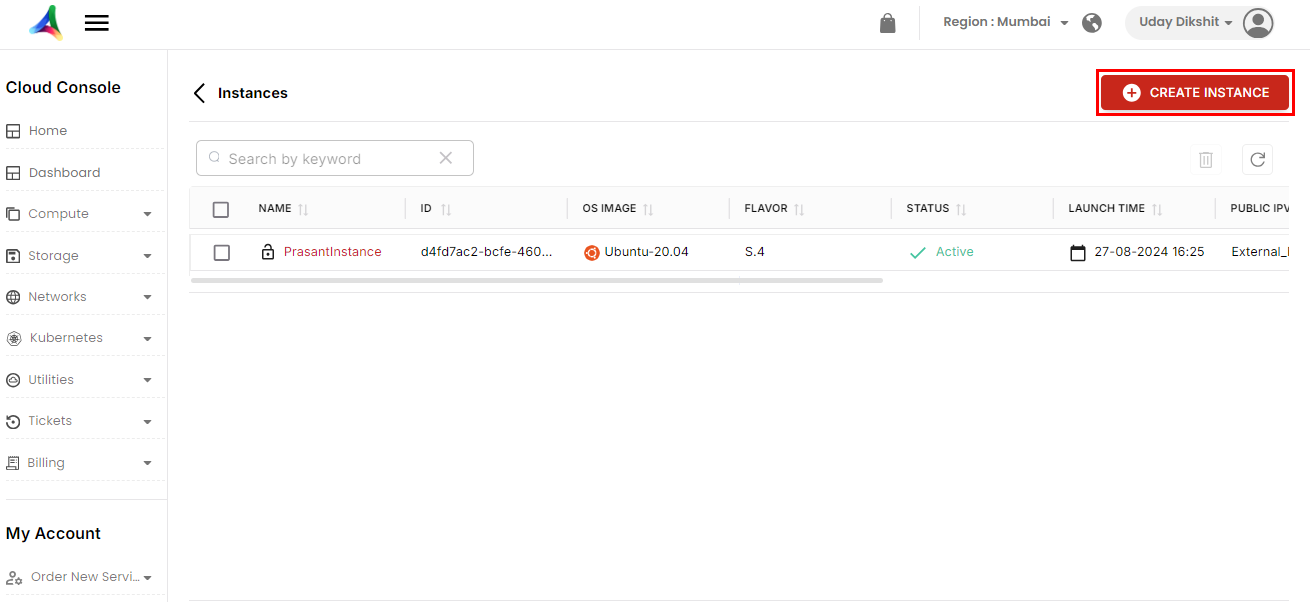
a. Navigate to **Compute** and then click on **Instances**. Here, you can view the list of all instances.
b. Click on **Create Instance**.
c. Enter the instance details and hit **Next**.
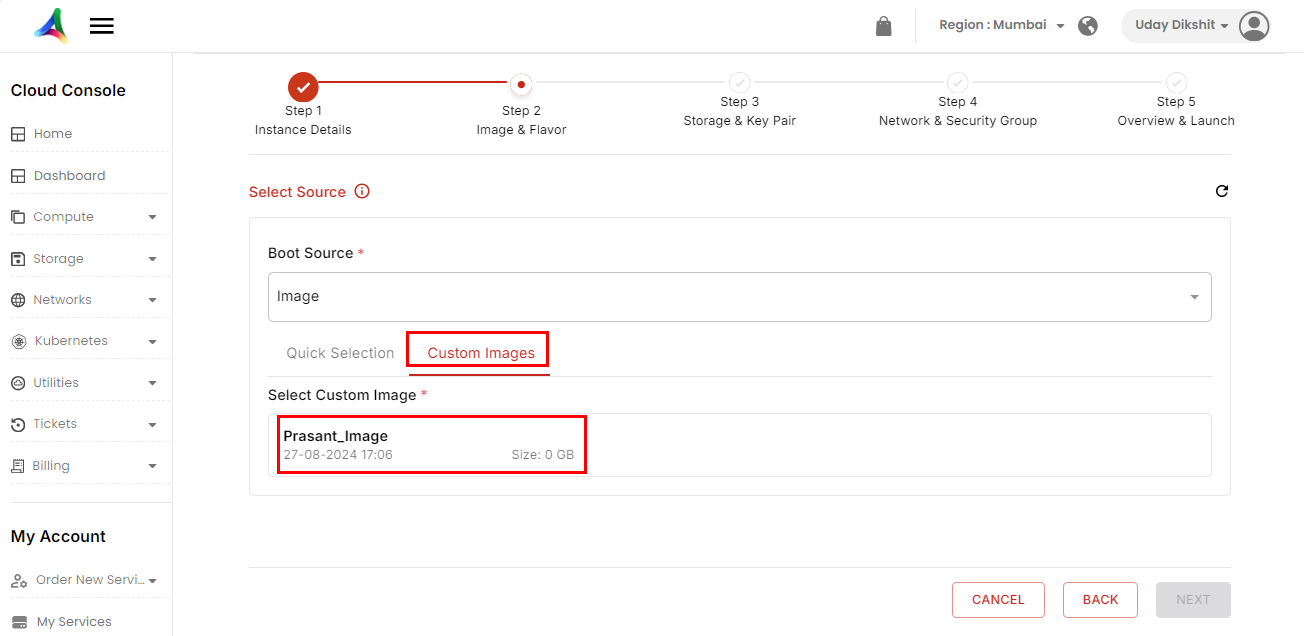
d. Click on **Select** **Source,** then select **Image** from the **Boot Source** drop-down.
e. Click on **Custom Images** and select your image.
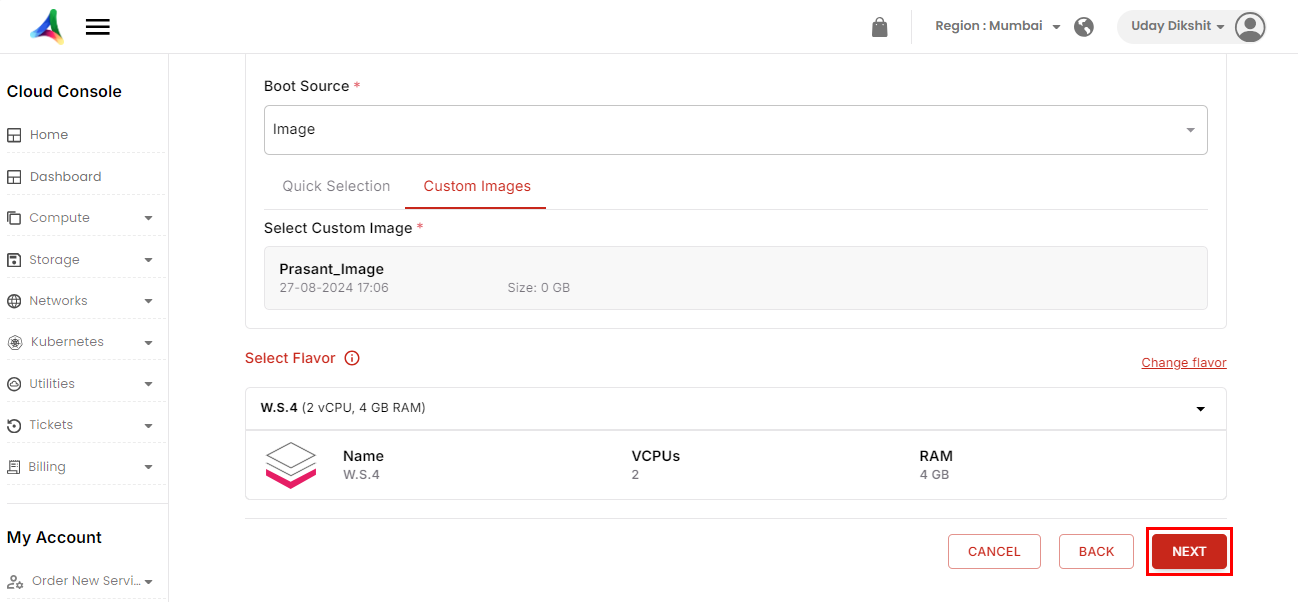
f. Select **Flavor** and hit **Next**.
**g.** Select the **Security Groups** and click **Next**. (You can also create a security group. Click [here](/knowledge-base/network/how-to-manage-a-security-group.md) to learn how.)
h. Choose a network of your own choice. Select the **Security Groups** and click **Next**. (You can also create a security group. Click [here](/knowledge-base/network/how-to-manage-a-security-group.md) to learn how.)
i. Review the details and click on **Launch Instance**.